Alex Galuzin.com
Canon 60D: How to Enable Max ISO 12,800 on Your Canon 60D
Photography
September 29, 2025
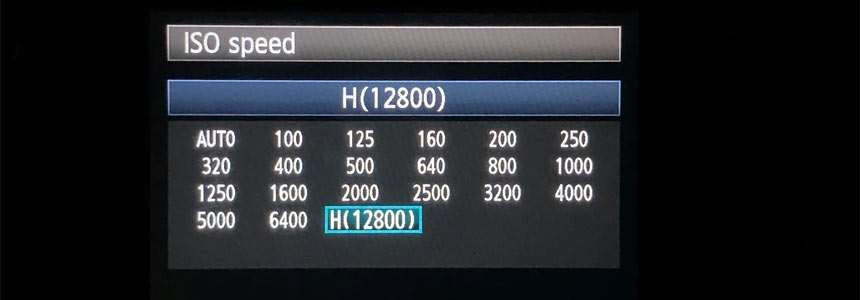
Canon 60D is capable of having maximum ISO at 12,800.
But by default it is only limited to 6,400.
If you go to the ISO settings, you'll see that you 12,800 as an option but it'll be grayed out.
Here is how to enable and set your Canon 60D to max ISO of 12,800.
Video Tutorial
Setting Canon 60D to ISO 12,800
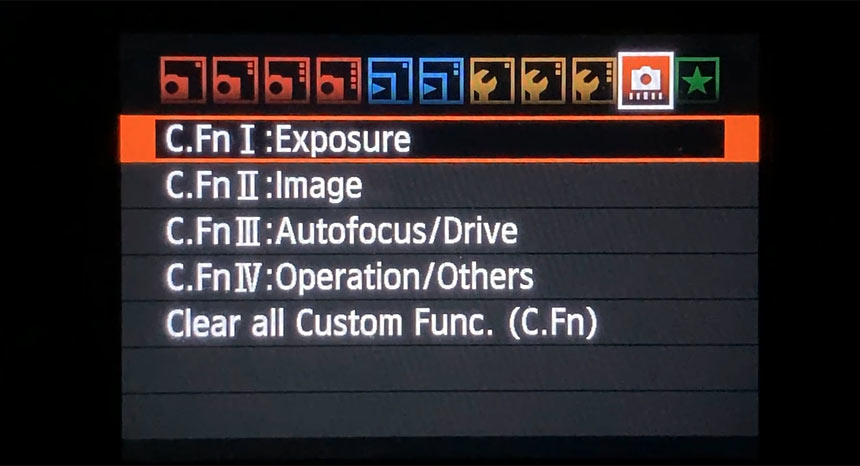
Go to the Camera Menu and navigate to the far right tab, the red icon and to C.Fn I: Exposure option:
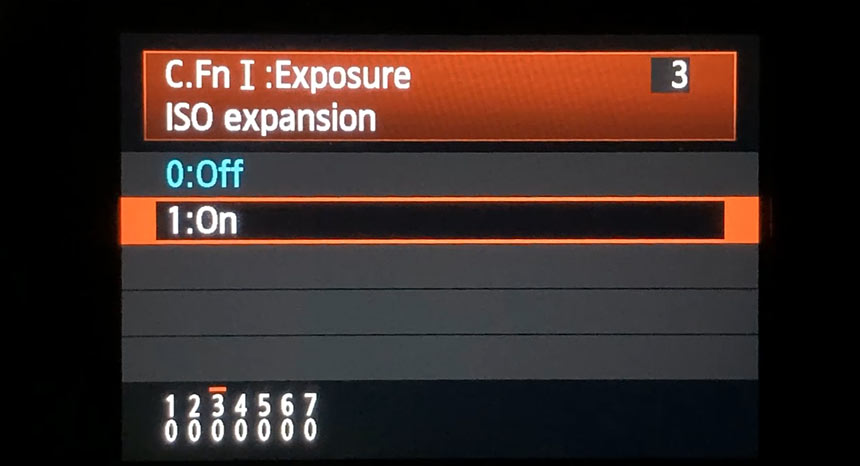
Then go to C.Fn I: Exposure - 3 ISO expansion and turn it On:
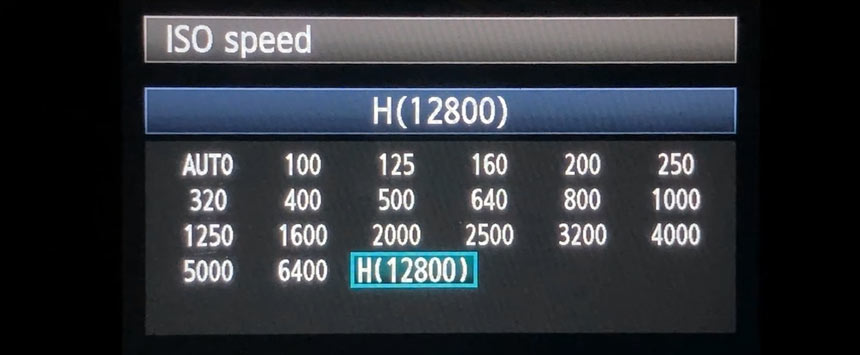
You should now see 12,800 (H) available as an option:
Alternatively:
If using the top LCD panel, press the ISO button and rotate the main dial. The highest setting will now read as H:
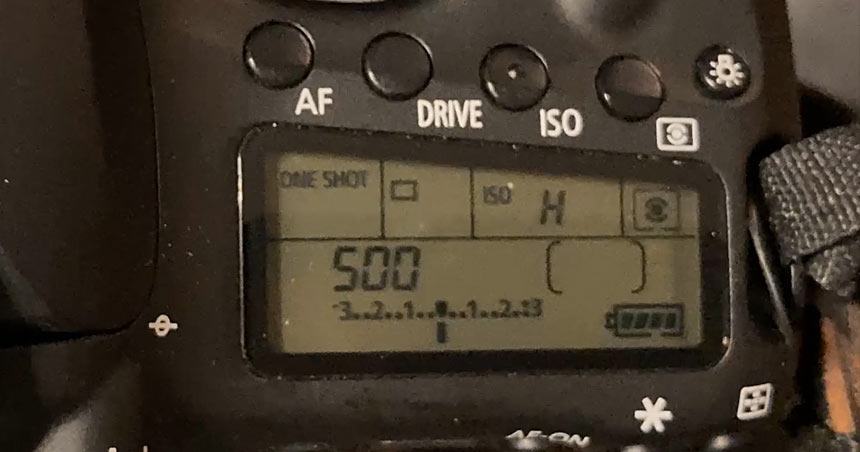
Important Notes:H (12,800) is an expanded ISO setting. Image quality at this level will show noticeably more noise and reduced dynamic range compared to lower ISO.
Use it only when necessary such as in very low light where you prioritize getting the shot over perfect image quality.
I had to do this when I shoot very first fight photography event using Canon 60D. You can see more about it here.
"Preproduction Blueprint"
I wrote a book on how to plan your level designs and game environment art. Buy the book in PDF, Paperback or Kindle version.
Subscribe: AG Email Updates
Follow Me


Recent Posts
-
 Why I Bought Canon R6 Mark II
Upgrading and buying a new camera Canon R6 Mark II. -
 Canon 60D: Max ISO 12800
How to max out your ISO on Canon 60D. -
 Fight Event: BCT1
Documenting and capturing first fight event. -
 Capturing Lightning Tips
Capturing lightning for first time tips. -
 Photography Experiments #1
Collection of best photos part 1.
About AlexG

Your Support Makes This Blog Possible
Some of the blog posts may include Amazon