Alex Galuzin.com
Documentary Style Photographer Documenting Fighters, Warriors, Rebels, Artists
Canon R6 Mark II: How to Use & Record to 2 SD Memory Cards at the Same Time for Back Up
Canon R6 Mark II
October 22, 2025
Your Canon R6 Mark II has 2 SD slots. That means you can use 2 memory cards at the same time to do two things.
- Backup: Record video and photos simultaneously to both cards. If anything happens to one card, you have a backup and peace of mind.
- Overflow: Set it so that if one card runs out of storage, it automatically switches to the second card.
This post explains how to set it up to record to both cards at the same time for backup.
Video Tutorial
Important Note
By default, right out of the box, the Canon R6 Mark II is set up to use only one memory card. You can insert two, but it will continue to record only to one. You have to go into the options to set it up to use two cards at the same time.
Identifying Card Slot 1 and Card Slot 2
- Card Slot 1: The slot closest to the back of the camera.
- Card Slot 2: The slot closer to the front of the camera.
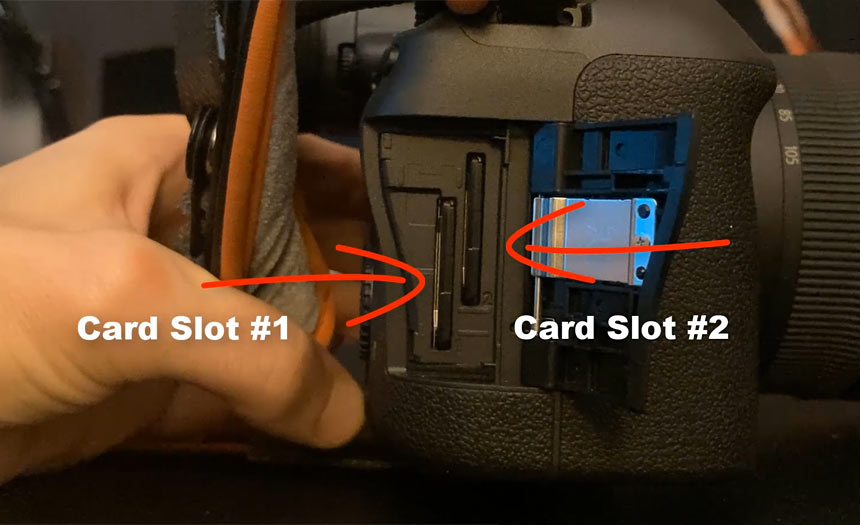
When using a single card, insert it into Card Slot 1.
Step-by-Step Setup in the Menu
- Insert both memory cards into the camera.
- Go into the menu.
- Select the fifth icon - the yellow gear icon.
- Go to subsection menu number 1.
- Select the first option: Record func+card/folder selection.
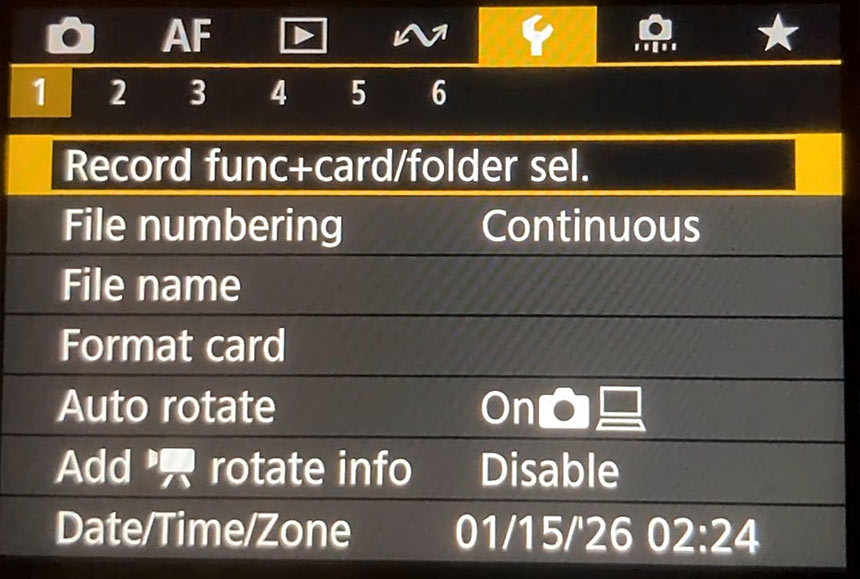
For Photos
- Scroll down to the photo record option.
- Change it from Standard (one card) to Record to multiple (two cards).
For Video
- Go to the video record option.
- Change it from Standard to Record to multiple.
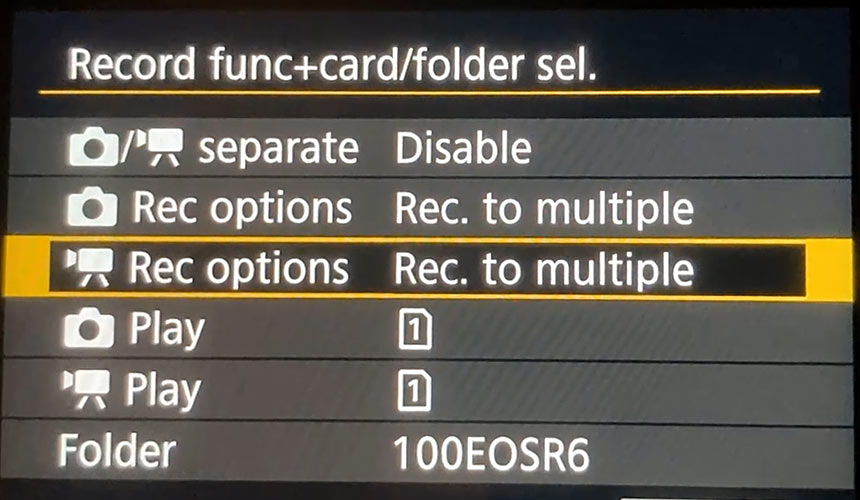
Once you change these two options, both photos and videos will record simultaneously to both cards.
The two options below (Play for photo and Play for video) should stay set to Card Slot 1 by default. You can leave them as they are. The important settings are Record to multiple for both photo and video.
That's all you need to do. You are set.
Format Your Cards (Recommended for First Use)
When using the cards for the very first time in your camera, format them both:
- Scroll down to Format card.
- Choose Card 1, select OK, and format it.
- Choose Card 2, select OK, and format it.
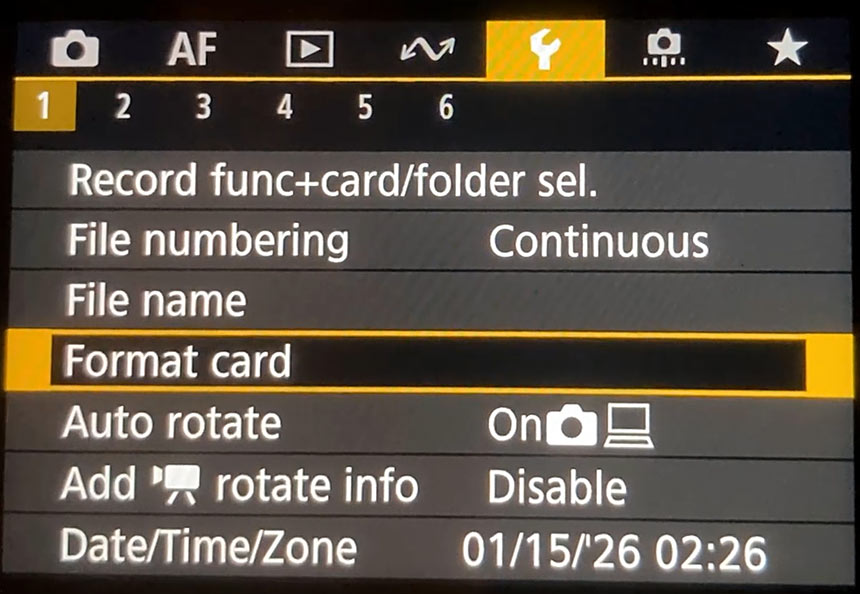
Now both cards have been formatted and you are ready to go.
Recommended Memory Cards
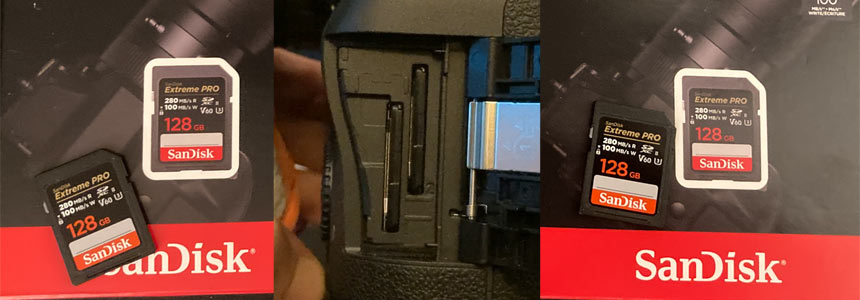
The cards I use and recommend are SanDisk 128GB Extreme Pro V60.
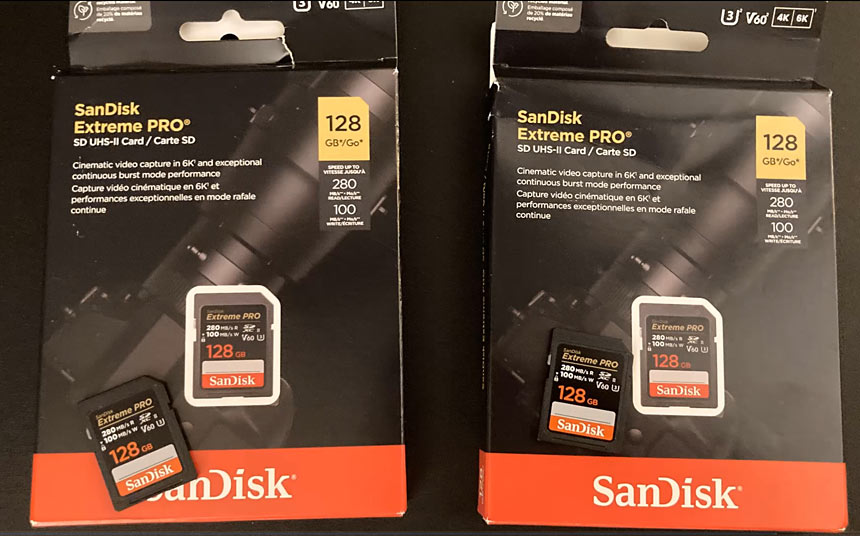
These are very fast cards with plenty of storage for photos and video. The record and read speeds are very fast.
With this setup, your Canon R6 Mark II will record to both cards simultaneously for that peace of mind and backup.

Portfolio Gallery
My name is Alex. Former fighter, now photographer. I'm documentary style photographer specializing in documenting fighters, warriors, rebels, artists, creators, business owners in their natural environments.
Subscribe: AlexG Photo Email Updates
Follow AlexG


Photography Portfolio


Recommended Posts




Blog Categories

About AlexG Photography

Quick Disclaimer on Blog Posts
I share my photography and creative workflow process through many of the blog posts. Some of these posts may include Amazon